
How To Build A Product Scanner App Like Yuka: Features, Cost, and Case Studies in 2026


Table of Contents
 Show
Show
- 1 Introduction
- 2 What Is a Product Scanner App Like Yuka?
- 3 Key Features of a Product Scanner App
- 4 How Product Scanner Apps Work
- 5 Development Process
- 6 Technology Stack
- 7 Cost to Build a Product Scanner App Like Yuka
- 8 Real-World Case Studies
- 9 Challenges in Building Product Scanner Apps
- 10 Why Choose Dolphin Web Solution
- 11 Conclusion

Summary :
This guide explores how to build a product scanner app like Yuka, covering core features, AI integration, development process, technology stack, real-world case studies including FactsScan by Dolphin Web Solution, and cost estimation to help startups and businesses launch their own food scanner app.
Introduction
Consumers today want to know exactly what goes into the products they buy. From food labels to cosmetic ingredients, the demand for transparency has never been higher. Apps like Yuka have tapped into this growing awareness, helping millions of users make informed, healthier choices simply by scanning a barcode.
Yuka alone has surpassed 50 million users worldwide, proving that product scanner apps are not a trend but a mainstream necessity. Businesses across health, wellness, retail, and food tech are now investing in similar solutions and leveraging expert App Development Services
to build trust, drive engagement, and differentiate their brand.
In this guide, you will learn how a product scanner app works, what features it needs, how to build one, how much it costs, and what real-world examples, including our own FactsScan app, can teach you about success in this space.
What Is a Product Scanner App Like Yuka?
A product scanner app allows users to scan the barcode of a physical product using their smartphone camera. The app then retrieves detailed information about that product from a connected database and presents an easy-to-understand analysis, often with a health score or rating.
Yuka, for example, evaluates food and cosmetic products on a 100-point scale based on nutritional quality, additive presence, and organic certification. Users get an immediate green, yellow, or red rating along with ingredient-level explanations and healthier product alternatives.
The concept combines barcode scanning technology, large product databases, AI-powered analysis, and intuitive UI design to deliver real-time insights directly on a consumer’s phone.
Key Features of a Product Scanner App
Core Features
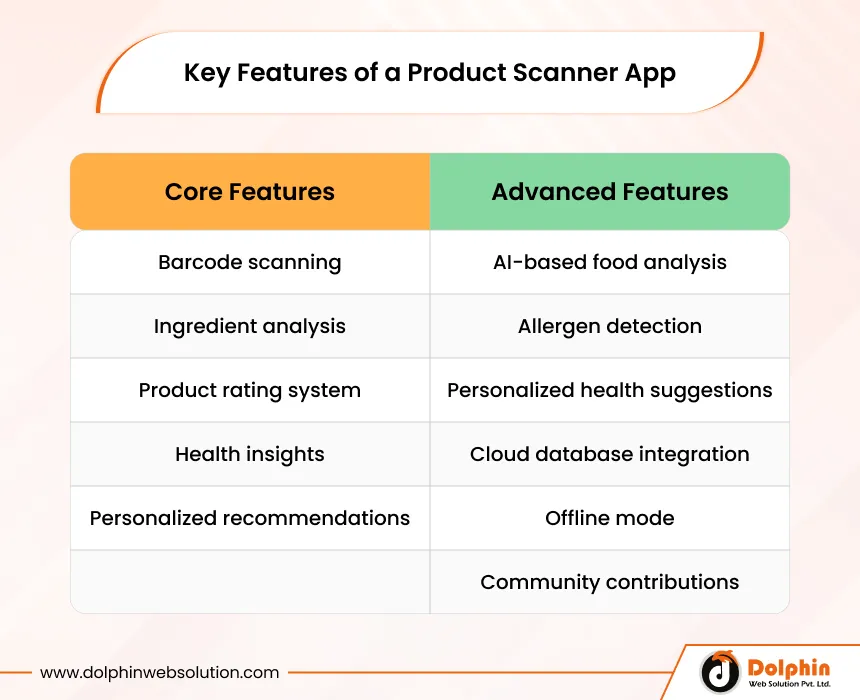
- Barcode scanning using the device camera with fast recognition for standard formats like EAN-13, UPC-A, and QR codes.
- Ingredient analysis that breaks down each component in a product and flags harmful or beneficial substances.
- Product rating system that scores items on health, safety, or environmental impact using a simple visual scale.
- Health insights that explain why certain ingredients are good or bad for specific health goals.
- Personalized recommendations that suggest better alternatives based on user preferences and scan history.
Advanced Features
- AI-based food analysis that goes beyond basic database lookups to evaluate nutritional balance and dietary impact.
- Allergen detection that automatically flags common allergens such as gluten, nuts, dairy, and soy.
- Personalized health suggestions driven by user profiles, health goals, and dietary restrictions.
- Cloud database integration for real-time product data syncing, updates, and scalability across millions of SKUs.
- Offline mode that allows basic scanning functionality without an active internet connection.
- Community contributions where users can add or verify product information to expand the database.
How Product Scanner Apps Work
Understanding the technical flow helps you appreciate what goes into building one of these apps.
- Barcode scanning: The user opens the app and points the camera at a product barcode. The device camera captures the barcode image, and an SDK or native library decodes it into a numeric or alphanumeric string.
- Data retrieval: The decoded barcode is sent to a backend server or third-party API that returns raw product data including ingredients, nutritional values, and certifications.
- AI processing: The backend AI engine processes the raw data against predefined health rules, ingredient databases, and user profile parameters to generate a score and actionable insights.
- Result display: The app presents the analysis in a clean, visual format with a rating, ingredient breakdown, health flags, and alternative product suggestions.
- Data logging: The scan is saved to the user’s history, enabling trend tracking, personalized insights, and behavioral analytics for the app owner.
Development Process
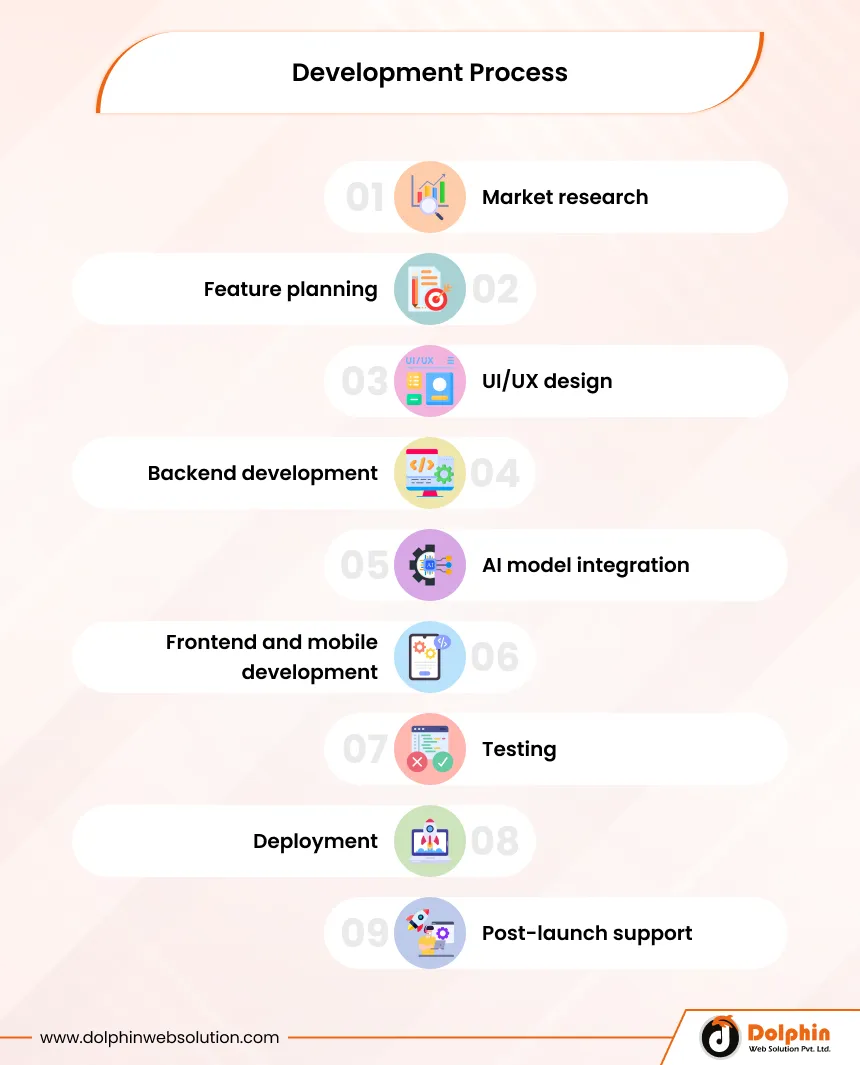
Building a food scanner app development project requires a structured approach from concept to launch.
- Market research: Analyze competitors like Yuka, Open Food Facts, and Fooducate to identify gaps, user pain points, and differentiation opportunities.
- Feature planning: Define MVP features versus advanced features, create user stories, and map the core user journey.
- UI/UX design: Design clean, intuitive interfaces with visual rating systems, easy navigation, and accessibility in mind using tools like Figma or Adobe XD.
- Backend development: Build scalable APIs, set up cloud infrastructure, and integrate third-party product databases.
- AI model integration: Train or integrate machine learning models for ingredient analysis, allergen detection, and recommendation engines.
- Frontend and mobile development: Develop native iOS and Android apps or use cross-platform frameworks, connecting them to the backend via secure APIs.
- Testing: Conduct unit testing, integration testing, QA testing on multiple devices, and performance testing under load.
- Deployment: Launch on the App Store and Google Play, set up CI/CD pipelines, and configure monitoring and crash reporting tools.
- Post-launch support: Continuously update the product database, refine AI models, and release feature updates based on user feedback.
Technology Stack
Choosing the right technology stack is critical for performance, scalability, and long-term maintainability.
1. Mobile Frameworks
- React Native or Flutter for cross-platform development.
- Swift for native iOS and Kotlin for native Android when performance is paramount.
2. AI and ML Tools
- TensorFlow or PyTorch for training custom ingredient analysis models.
- Google ML Kit or Apple Vision for on-device barcode detection.
- OpenAI APIs for natural language explanations and recommendation generation.
3. APIs and Databases
- Open Food Facts API for open-source product data.
- Nutritionix or Edamam for nutritional intelligence.
- Custom NoSQL databases (MongoDB, Firebase) for user profiles and scan history.
- PostgreSQL for structured product and ingredient data.
4. Cloud Infrastructure
- AWS, Google Cloud, or Microsoft Azure for hosting and auto-scaling.
- Redis for caching frequently scanned products and reducing latency.
- CDN services for fast global content delivery.
Cost to Build a Product Scanner App Like Yuka
Development cost depends heavily on the app’s complexity, team location, and feature scope.
| App Type | Estimated Cost |
|---|---|
| Basic App | $20,000 to $50,000 |
| Mid-Level App | $50,000 to $120,000 |
| Advanced AI App | $120,000 to $300,000+ |
Factors That Affect Cost
- Feature complexity: AI-powered analysis, personalization, and allergen detection significantly increase development time.
- Platform choice: Building for both iOS and Android costs more than a single platform unless using cross-platform frameworks.
- Database size: Licensing or building a large, accurate product database is one of the most expensive components.
- Team location: Development rates vary widely, from $25/hour in South Asia to $150+/hour in North America or Western Europe.
- Third-party integrations: Licensing fees for premium data APIs, payment gateways, or health compliance tools add to the overall budget.
- Ongoing maintenance: Post-launch support, database updates, and AI model retraining typically cost 15 to 20 percent of the initial build cost annually.
Real-World Case Studies
1. Yuka
Yuka launched in France in 2017 and has grown to over 50 million users across Europe and North America. The app evaluates food products based on nutritional quality using the Nutri-Score system and analyzes cosmetics for potentially harmful ingredients. Yuka’s success is built on a freemium model, with premium subscribers paying for offline access and exclusive features. The app’s transparent methodology and science-backed ratings built strong consumer trust that marketing alone could never achieve.
2. FactsScan — Built by Dolphin Web Solution
FactsScan is India’s first AI-powered food scanner app, developed entirely in-house by the Dolphin Web Solution team. Available on both Google Play and the Apple App Store, FactsScan allows users to scan any packaged food product’s barcode and receive an instant health score out of 100, along with a product grade from A (healthy) to E (unhealthy).
The app goes beyond basic scanning by offering AI-powered ingredient analysis, allergen highlights, smart healthier alternatives for Grade D and E products, and personalized results based on dietary preferences such as vegetarian, vegan, and low-carb. It also features curated expert categories including high protein, high fibre, low sugar, and low fat products, making it a genuinely useful daily companion for health-conscious consumers.
FactsScan is aligned with FSSAI guidelines and backed by health experts, ensuring its recommendations meet Indian food safety standards. Since its launch, the app has crossed 10,000+ downloads on the Google Play Store and continues to grow as India’s trusted food label decoder.
Key Achievements:
- India’s first AI-powered food scanner app
- Available on both iOS and Android platforms
- 10,000+ downloads and growing
- Health grading system: Grade A to Grade E
- FSSAI-aligned ingredient and nutrition analysis
- Smart alternatives engine for unhealthy products
- Custom dietary preference settings (vegan, vegetarian, low-carb, and more)
Try FactsScan now: factsscan.com | Available on Google Play and the Apple App Store
3. Open Food Facts
This community-driven, open-source product scanner app contains data on over 3 million products contributed by volunteers worldwide. While not a commercial app in the traditional sense, it powers dozens of third-party apps and demonstrates the massive value of a well-maintained, crowd-sourced product database. Its API is widely used by developers building their own food scanner app development projects.
4. Fooducate
Targeting the US market, Fooducate grades products from A to D and connects users with a community for health coaching, meal tracking, and dietary guidance. The app has been downloaded over 3 million times and demonstrates how layering community features onto core scanning functionality can drive retention and engagement well beyond simple barcode lookups.
5. Market Insights
The global health and wellness app market is projected to exceed $350 billion by 2027. Product transparency and clean label demands are major drivers, with over 73 percent of global consumers saying they would pay more for products with full ingredient transparency. These numbers confirm that investing in a product scanner app is not just a tech project but a sound business decision.
Challenges in Building Product Scanner Apps
- Data accuracy: Product formulations change frequently, and keeping the database current requires dedicated resources or strong community contribution mechanisms.
- API limitations: Free APIs like Open Food Facts have coverage gaps, especially for regional or private-label products, making database enrichment a significant ongoing effort.
- Regulatory compliance: Health and nutrition apps must navigate GDPR in Europe, CCPA in California, and FSSAI regulations in India for any health-related claims.
- Scalability: As the user base grows, backend infrastructure must handle millions of concurrent scans without degradation in response time.
- AI accuracy: Ingredient analysis models require regular retraining as new research emerges and food science evolves, adding ongoing development cost.
- User trust: Displaying inaccurate health scores even once can permanently damage credibility, making quality assurance a non-negotiable investment.
Why Choose Dolphin Web Solution
With 15+ years of experience in mobile app development and AI solutions, Dolphin Web Solution has helped businesses across health tech, retail, and consumer apps bring complex digital products to market efficiently and reliably.
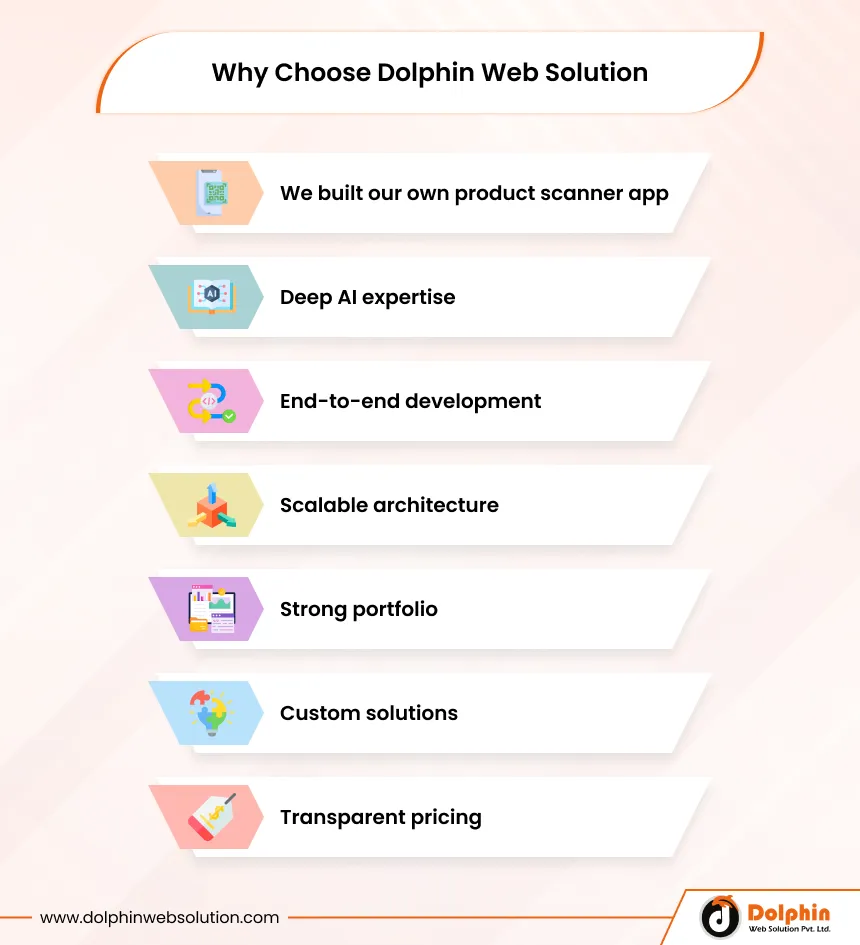
- We built our own product scanner app: FactsScan, India’s first AI-powered food scanner app, was designed, developed, and launched entirely by our own team, giving us first-hand expertise in every challenge you will face, from database integration and AI model tuning to App Store deployment and post-launch scaling.
- Deep AI expertise: Our team builds and integrates custom machine learning models for real-world applications including ingredient analysis, recommendation engines, and computer vision.
- End-to-end development: From ideation and UI/UX design to backend engineering, QA, and App Store deployment, we handle every phase of the project.
- Scalable architecture: We design systems that grow with your user base, using cloud-native infrastructure that handles millions of transactions without performance compromise.
- Strong portfolio: Our track record spans fintech, health tech, e-commerce, and enterprise solutions across global markets including India, the US, UK, and Europe.
- Custom solutions: We do not use cookie-cutter templates. Every app we build is tailored to your business model, target audience, and long-term roadmap.
- Transparent pricing: We provide detailed project scopes and cost breakdowns upfront, so there are no surprises at any stage of development.
Conclusion
The market for product scanner apps is expanding rapidly, driven by consumer demand for health transparency, clean ingredients, and informed purchasing decisions. Building an app like Yuka requires the right combination of barcode technology, AI-powered analysis, robust data infrastructure, and an intuitive user experience—making AI App Development Services a crucial part of creating a successful solution.
Whether you are a startup entering the health tech space or an established brand looking to add value for your customers, now is the right time to invest in this category. If you’re planning to hire app developer talent for your project, choosing the right team becomes crucial for success. As the creators of FactsScan, India’s first AI-powered food scanner app, Dolphin Web Solution brings real, proven expertise that no other agency can match.
Partner with Dolphin Web Solution to build your next AI-powered product scanner app with scalable technology and expert guidance. Contact our team today to schedule a free consultation and get a detailed project estimate tailored to your vision.

FAQs
How much does it cost to build an app like Yuka?
The cost ranges from $20,000 for a basic product scanner app to over $300,000 for a fully AI-powered solution with advanced personalization and a large product database. The final cost depends on features, platform, and development team location.
How does barcode scanning work in these apps?
The app uses the smartphone camera combined with a barcode scanning SDK or native device library to decode the barcode's numeric string. That string is then matched against a connected product database to retrieve ingredient and nutritional data.
What technology is used to build a product scanner app?
Common choices include React Native or Flutter for cross-platform mobile development, TensorFlow or ML Kit for AI processing, Open Food Facts or Nutritionix APIs for product data, and AWS or Google Cloud for backend infrastructure.
How long does it take to develop a food scanner app?
A basic MVP typically takes 3 to 5 months. A mid-level app with AI features requires 6 to 9 months. A fully advanced product scanner app with custom AI models, large databases, and personalization can take 12 to 18 months from design to launch.
Can I build a product scanner app without a custom database?
Yes. You can integrate open-source APIs like Open Food Facts or licensed APIs like Nutritionix to access existing product data. However, for unique markets or private-label products, supplementing with a custom database improves accuracy significantly.
What are the main monetization models for product scanner apps?
The most successful models include freemium subscriptions (basic free, premium paid), white-label licensing to food brands or retailers, B2B data analytics services, and in-app advertising from health and wellness brands.
Is it possible to add offline functionality to a product scanner app?
Yes. By caching frequently scanned products locally and using lightweight on-device AI models, you can provide a useful offline experience. However, full database access and real-time AI analysis typically require an internet connection.
Jigar Shah


Jigar Shah serves as the Chief Operating Officer of Dolphin Web Solution, overseeing business operations, project delivery, client success, and organizational growth initiatives. With more than 15 years of experience in the IT and digital services industry, he plays a vital role in ensuring operational excellence and delivering exceptional outcomes for global clients. His expertise spans strategic planning, project management, process optimization, resource management, and technology operations. Jigar has successfully managed complex eCommerce, AI, web, and mobile application projects while building scalable processes that support sustainable business growth. Passionate about leadership and continuous improvement, Jigar focuses on creating efficient systems, empowering teams, and maintaining the highest standards of quality. He frequently shares perspectives on digital transformation, project execution, operational efficiency, and business growth strategies.

We can help you with
- Dedicated Team
- Setup Extended Team
- Product Development
- Custom App Development
Our Offices

AHMEDABAD (INDIA)
B- 203-206, Empire Business Hub, Science City Road, Sola, Ahmedabad – 380060

BERLIN (GERMANY)
Badensche Str. 28, 10715 Berlin, Germany

CALIFORNIA (USA)
9601 Reseda Blvd, Apt#223, Northridge CA-91324, USA

ALBERTA (CANADA)
302 Skyview Ranch Drive NE, Calgary, Alberta, Canada T3N0P5





Hello!
Click one of our contacts below to chat on WhatsApp