Infinite Scroll for Magento 2
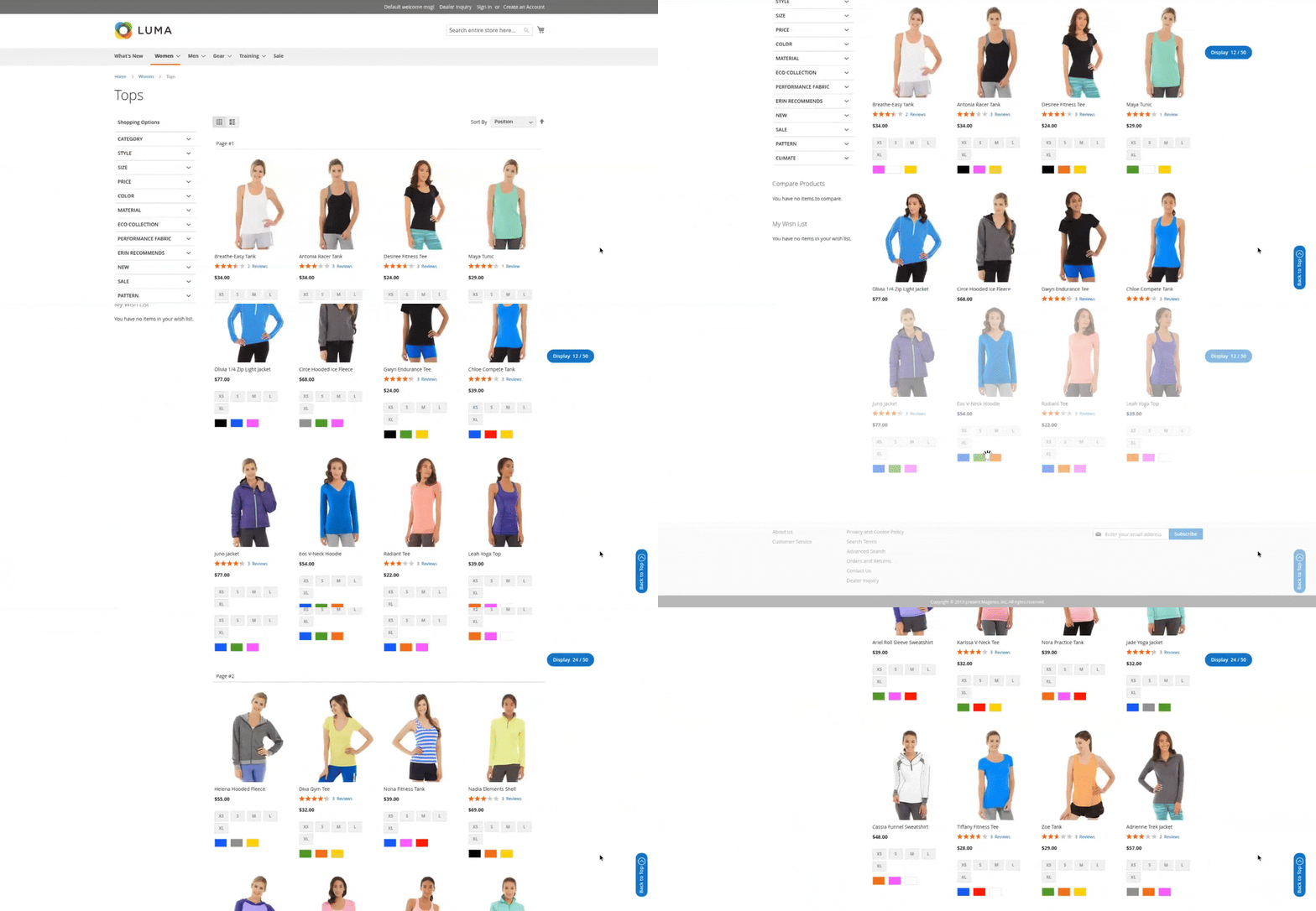
Infinite scroll for Magento 2 automatically loads the product catalog without reloading the page when the user scrolls the category page. With the extension, you can show the page number or product count as needed. You can also add "Load More" and "Load Previous" buttons. A "Back to Top" button can also be added. All of these can be styled according to your theme through configuration settings.

- Automatically loads the next page of products on the product listing and product search pages
- Back to top button
- Customizable navigation bars from configuration
- Allow uploading a loader image
- Improves user experience


-
 Developed By Best Certified Developers
 -
Trusted Quality
-
Free Support For 90 Days
-
45-day Money-back Guarantee
-
Paid on-demand Customization
-
Free Updates


Overview of Magento 2 Infinite Scroll Extension
When users are looking for something specific, you want to make sure they find as much information as possible right here. If customers don’t immediately see what they need on the page, they may get frustrated and leave the store.
The Infinite Scroll extension for Magento 2 offers users clear navigation and new opportunities in product presentation. With this extension, catalog browsing becomes a smooth and effortless journey. Our module saves your users time and effort by adding options for seamless automated scrolling.
Highlights of Magento 2 Infinite Scroll Extension
-

General Settings
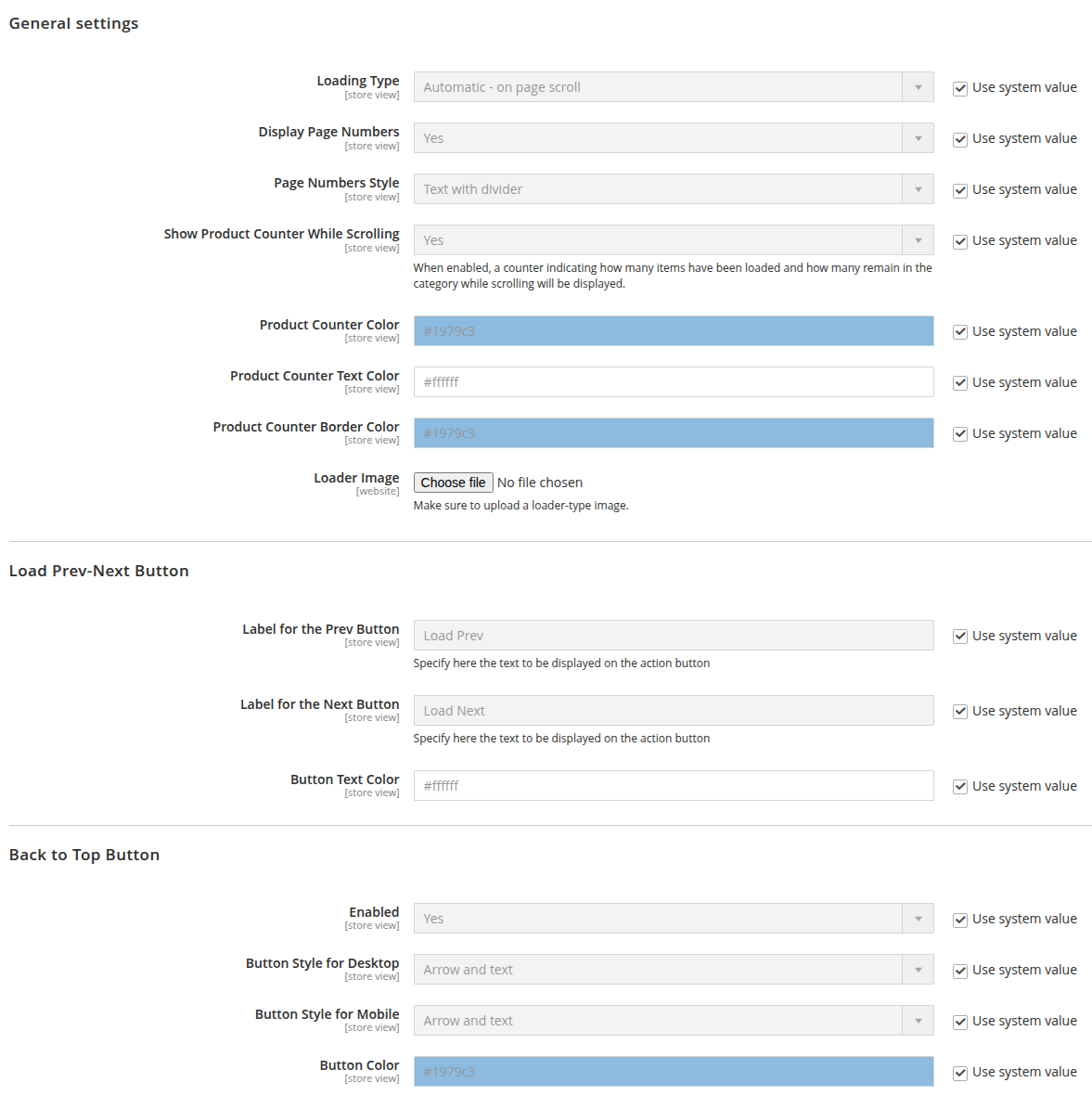
Admin can easily configure this extension as per their requirement from the backend
-
Multistore Supported
The admin can configure infinite scroll for a specific store
-
Auto-loading the next page with AJAX
Auto-load load next page data when the user scrolls down the page
-
Back to Top
The user can navigate to the top of the page by clicking on the Back to Top




Features of Magento 2 Infinite Scroll Extension
-
Customizable from the admin
- Loading Type Options:
- Automatic on-page scroll: Products load as the user scrolls down.
- On button click: Products load only when the user clicks a "Load Prev" and "Load Next" button.
- Auto-load up to a certain limit, then on button click: Initially loads products automatically, then switches to manual loading.
- Button click for initial items, then automatically: Loads a few products on click first, and then starts loading automatically.
- Disabled: Disables dynamic loading completely.
- Pagination System:
- Supports three different styles of page numbers for a customized look and feel.
- Displays a product count so users know how many products are currently visible.
- Custom Loader: Set a loader from the admin panel that appears during AJAX product loading (e.g., on scroll or button click).
- Styling Options: Configure text and background colors directly from the admin panel, no custom design changes needed.
- Loading Type Options:
-
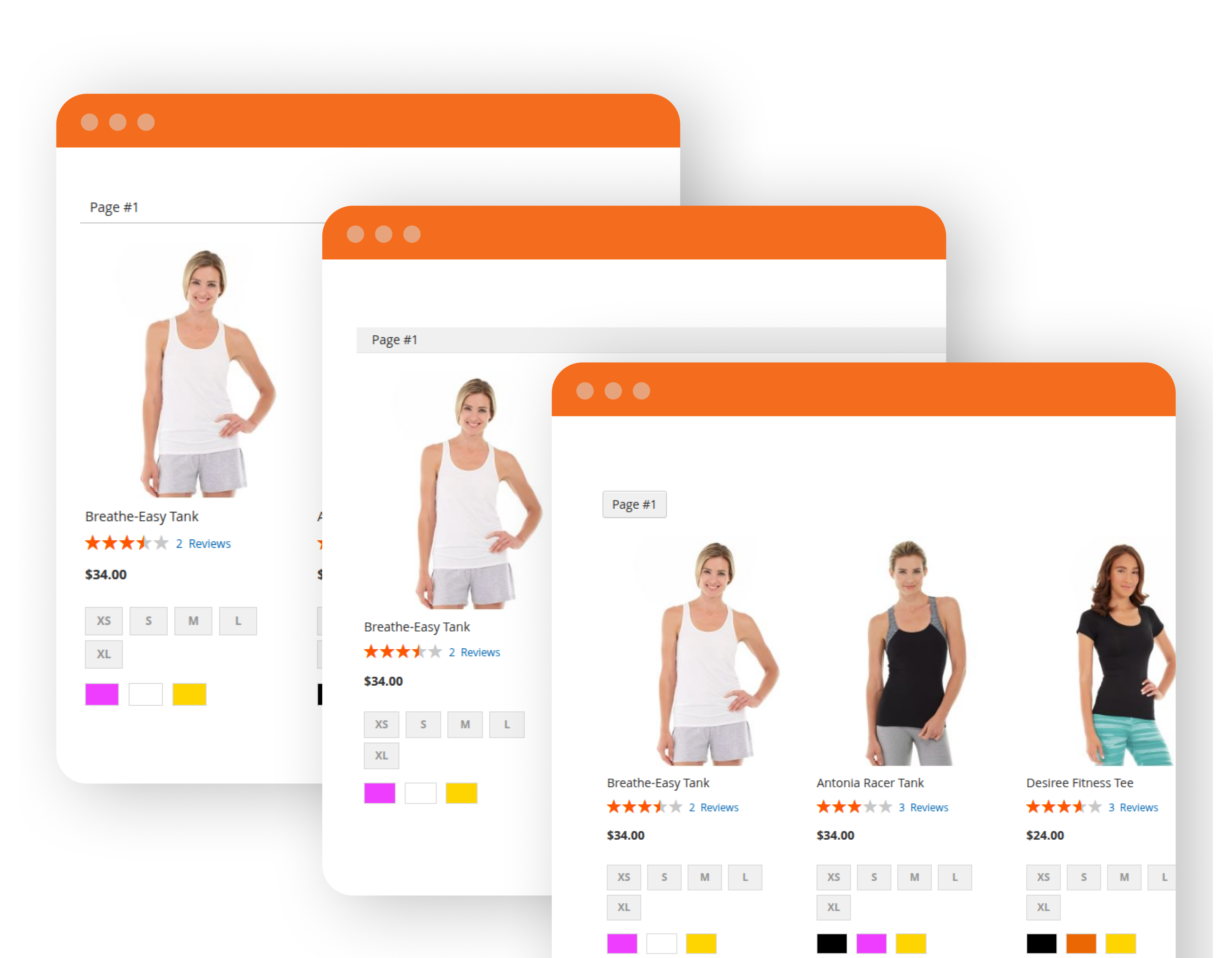
Display page numbers in different styles
- Display page numbers in three different styles to clearly indicate the current page number to users. When the page changes through AJAX, the corresponding page number is also updated and displayed.
-
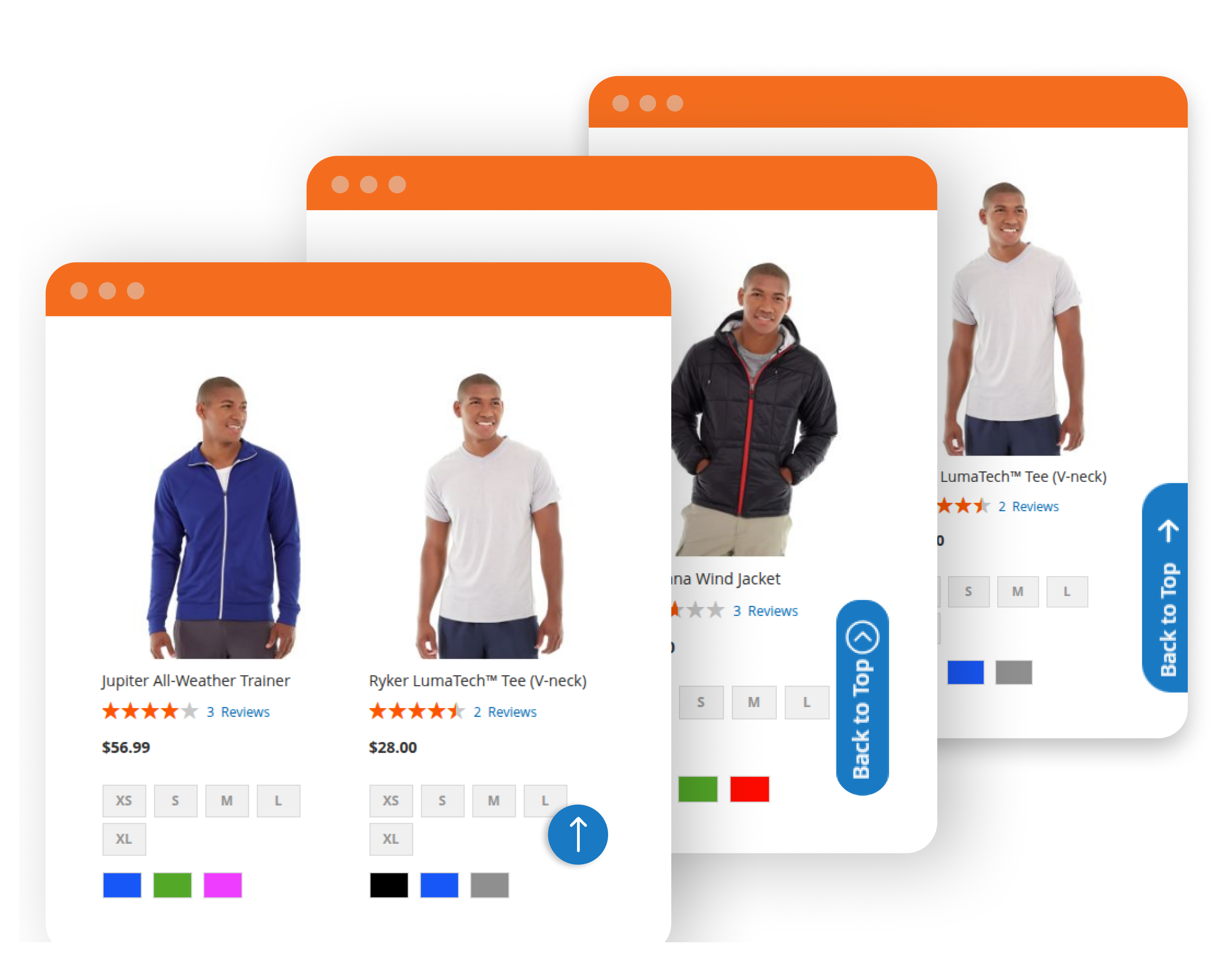
Back to Top Button
- Back to top button in different styles. If the user scrolls down to the bottom of the page and wants to go back to the top, they can simply do it with one click. You can set three designs for desktop and two separate designs for mobile. Separate styling can be applied for mobile and desktop. Background color is changeable from the configuration.
Dolphin products work fine with every theme and extension from other service providers. However, if you encounter any issues, our developers will troubleshoot and fix them. You can always raise a ticket for your concern and get immediate assistance from our experts.
Version: 1.0.0
Release Note: First Release
Magento Compatibility: 2.4.*
Want us to customize according to your business needs?