
Delivery Date Manager for Magento 2
Magento 2 Order Delivery Date Extension allows customers to select their expected order delivery date during checkout. Also, customers can write a note on an order, and they can select a reliable delivery time according to their needs.
- Admin can easily enable or disable the order delivery date extension.
- Admin also enables or disables particular fields on the front end.
- Customers can select the expected date to deliver the order.
- Customers can write a note and select a delivery time.
- Admin can add charges on a delivery date according to counting gaps between dates.
- Delivery charges can be displayed on the order total summary based on the order total.
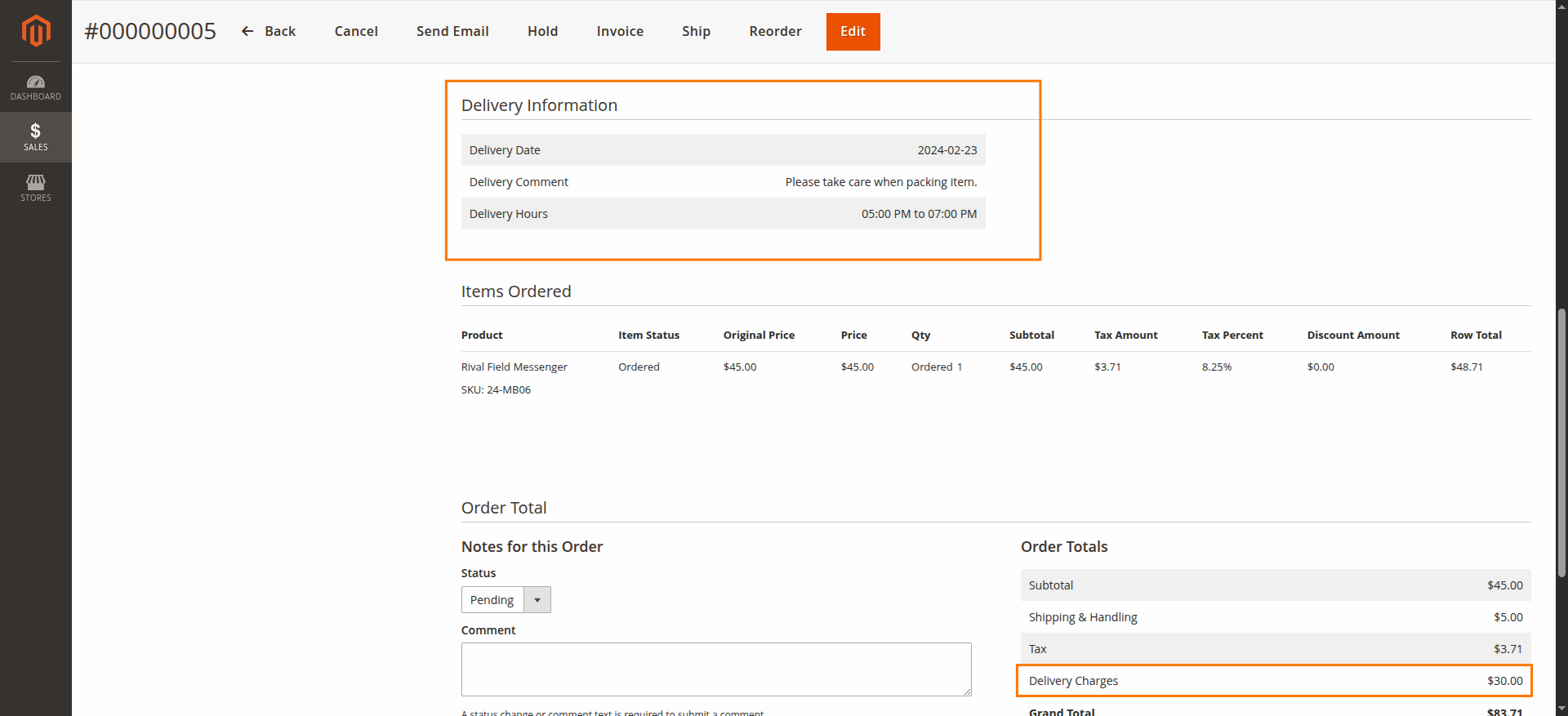
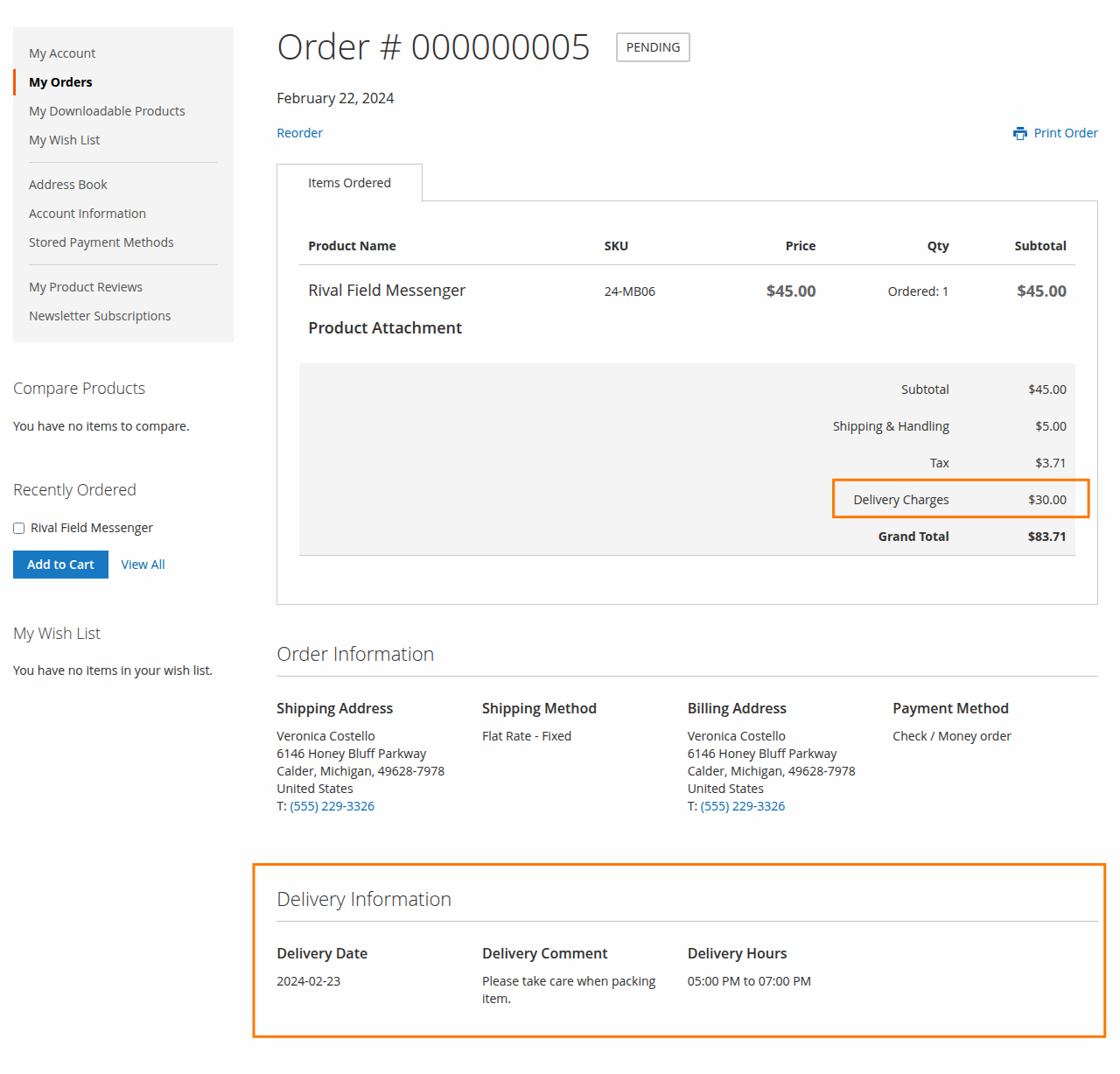
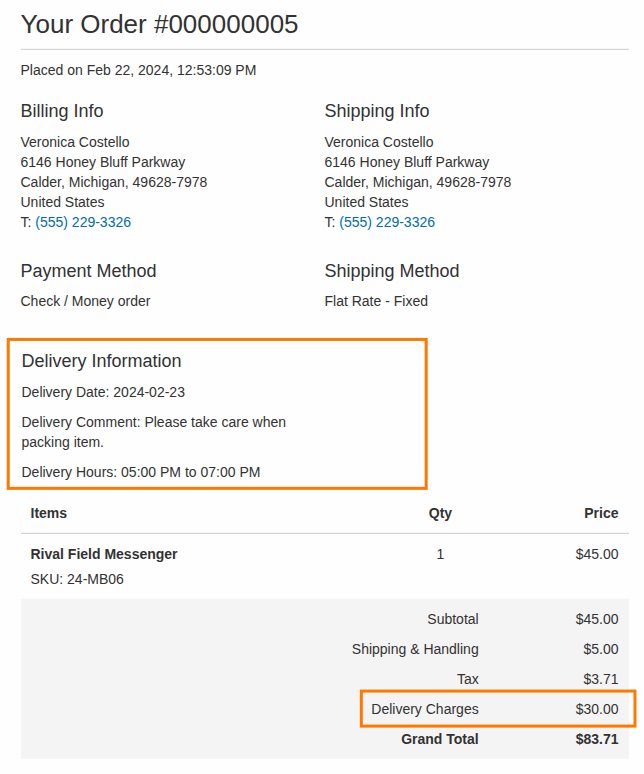
- Admin and customer can see delivery date charges on both sides in the order total on every page, including the PDF
- Disable weekdays in the date picker from the admin.
- Disable specific dates in the date picker via the admin.



-
 Developed By Best Certified Developers
 -
Trusted Quality
-
Free Support For 90 Days
-
45-day Money-back Guarantee
-
Paid on-demand Customization
-
Free Updates


Overview of Magento 2 Delivery Date Manager Extension
Magento 2 Order Delivery Date Extension empowers both customers and admins by providing a user-friendly and customizable solution for managing delivery options, boosting the overall customer shopping experience on Magento.
Giving a reliable option to customers who select the Delivery Date according to their requirements. This extension provides flexibility, allowing customers to specify their preferred delivery date and time, and they can add notes to their order.
Highlights of Magento 2 Delivery Date Manager Extension
-

Easy to Configure
It provides a fully customizable interface, and anyone can easily configure this extension from the backend.
-
Delivery Days and Charges
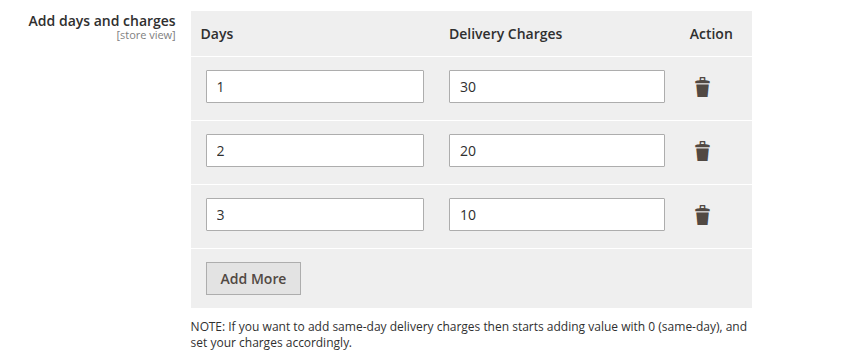
Admin can easily set the charges used to define gaps between days, and charges will be added in order to the total.
-
Select Preferred Delivery Date
Customers can select delivery dates according to their choice, and the admin can set the charges based on the day gaps.
-
Disabled Specific Dates and Weekdays
Admin easily disabled specific dates. In general, it defines that the delivery is not available on those dates, and the admin can disable weekdays in date picker based on store needs.




Features of Magento 2 Delivery Date Manager Extension
-
Facilitates admin to configure the extension
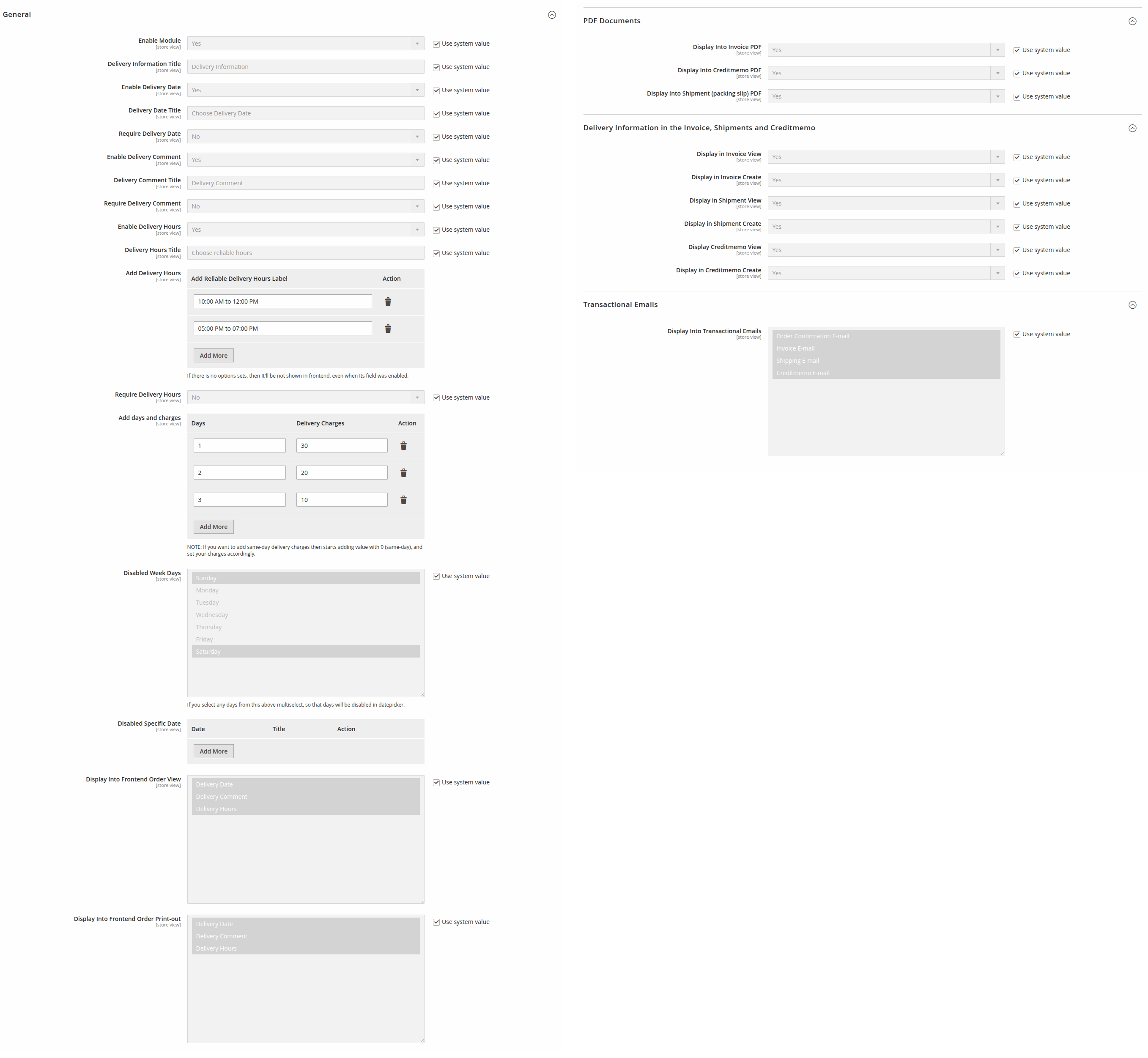
- Enable/Disable functionality from the backend.
- Set the delivery information title.
- Manage the status of Delivery Date, Delivery Comment, and Delivery Hours.
- Separately add titles for Delivery Date, Delivery Comment, and Delivery Hours.
- To set the delivery hours, the Admin can set the Add Reliable Delivery Hours Label to Add Delivery Hours.
- To set the delivery charges, set Days and Delivery Charges to add days and charges.
- To disable specific weekdays, select Disabled Week Days.
- To disable specific dates, add a date(s) in Disabled Specific Date.
- To show specific delivery fields in the frontend order view, select Display Into Frontend Order View values according to needs.
- To show specific delivery fields in the frontend order print-out, select Display Into Frontend Order Print-out values according to needs.
-
Set Delivery Charges Dynamically
- Admin can set charges based on gaps between the date of order creation and the selected delivery date by the customer.
-
Display Delivery Information on admin order pages
- Display the delivery information on the admin Order View, Invoice View/Create/PDF, Shipment View/Create/PDF and Creditmemo View/Create/PDF.
-
Display Delivery Information on frontend order pages
- Display the delivery information on the frontend Order View/Print, Invoice View/Print, Shipment View/Print and Refunds View/Print.
-
Display Delivery Information on Every Transaction Email
- The Delivery Information is also available in every transaction email – Order Confirmation, Invoice, Shipment, and Credit Memo.
Dolphin products work fine with every theme and extension from other service providers. However, if you encounter any issues, our developers will troubleshoot and fix them. You can always raise a ticket for your concern and get immediate assistance from our experts.
Version: 1.0.0
Release Note: First Release
Magento Compatibility: 2.4.*
Want us to customize according to your business needs?