
Prices Per Customer for Magento 2
The Price Per Customer for Magento 2 provides features to display prices upon the customers login to the website.

- Admin can assign specific prices to specific customers.
- The admin can assign global prices and special prices to customers.
- The admin can edit or change the prices of existing customers.
- Also, provide an option for adding a date and showing the price to the customer as per that date
- Admin can Import and Export CSV files for customer prices.
- Admin can set the Display product price as per the store.



-
 Developed By Best Certified Developers
 -
Trusted Quality
-
Free Support For 90 Days
-
45-day Money-back Guarantee
-
Paid on-demand Customization
-
Free Updates


Overview of Magento 2 Prices Per Customer Extension
The default Magento does not provide any features related to showing the price as per customer, but this price per customer extension builds up the functionalities of displaying the product price as per customer login on the website.
In this extension, you can add specific product prices per customer, either you can display Global customer prices and special prices like increment or decrement by percentage to the original product price, or increase /decrease the fixed amount from the original amount, or replace the original price with the fixed amount.
With this extension, you can also import-export prices as per customers, and import-export specific customer global prices.
Highlights of Magento 2 Prices Per Customer Extension
-

Add a Specific Price per Customer
The admin can choose individual customers and assign specific product prices or global customer prices to them.
-
Easily manage
Admin can easily create or change the prices of particular customers.
-
Insert the Specific price from the Customer and Product both
Admin can add customer price by opening a specific customer and assigning products to or opening a specific product and assigning a customer and its price from there.
-
Insert Customer Global Price
Admin can add a customer's global price by opening the customer and selecting the price, and a special price.
-
Import-export
Admin can import-export CSV files for customer-specific product prices and customer global prices.
-
Multi-Store Supported
Admin can add a price as per the stores.





Features of Magento 2 Prices Per Customer Extension
-
Easy to Configure
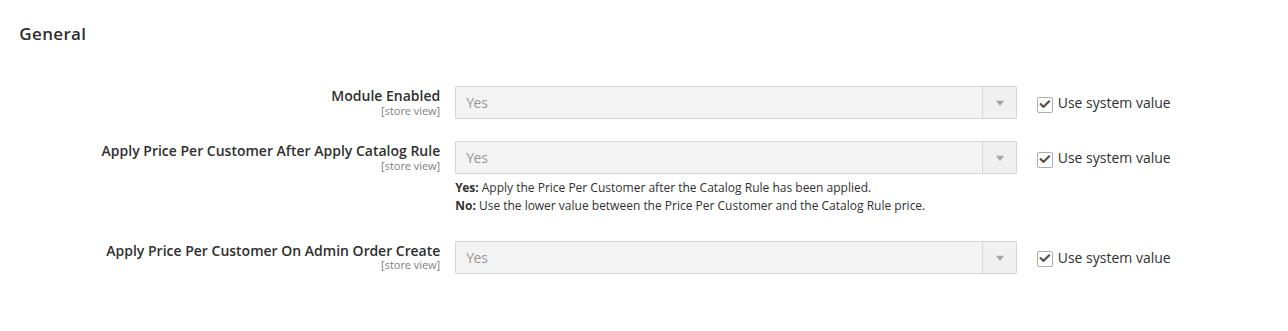
- Enable or disable the Price Per Customer module feature seamlessly from the Magento 2 backend.
-
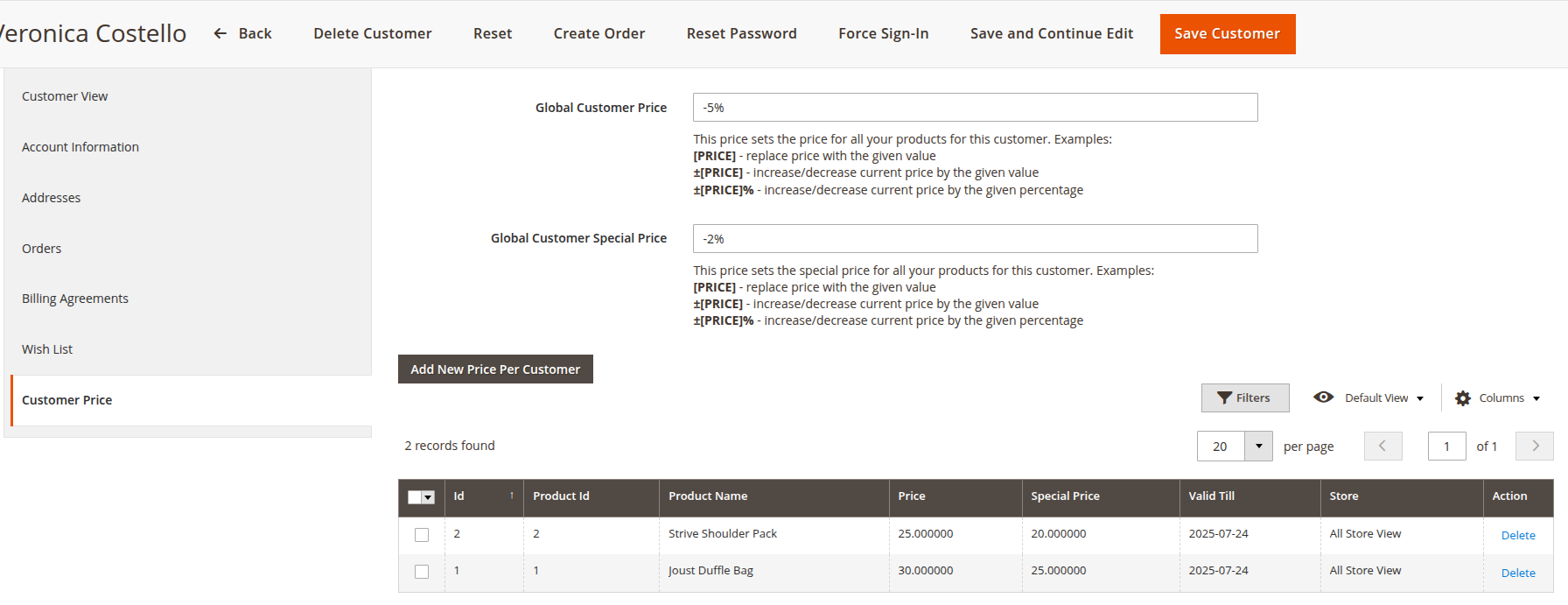
Add Price from the customer form in Admin
- In this, you can add a specific product list from the grid and add their price, special price, and valid date, and you manage to edit that data by inline editing in ui grid
- There were also two other fields for saving customers' global price and special price
-
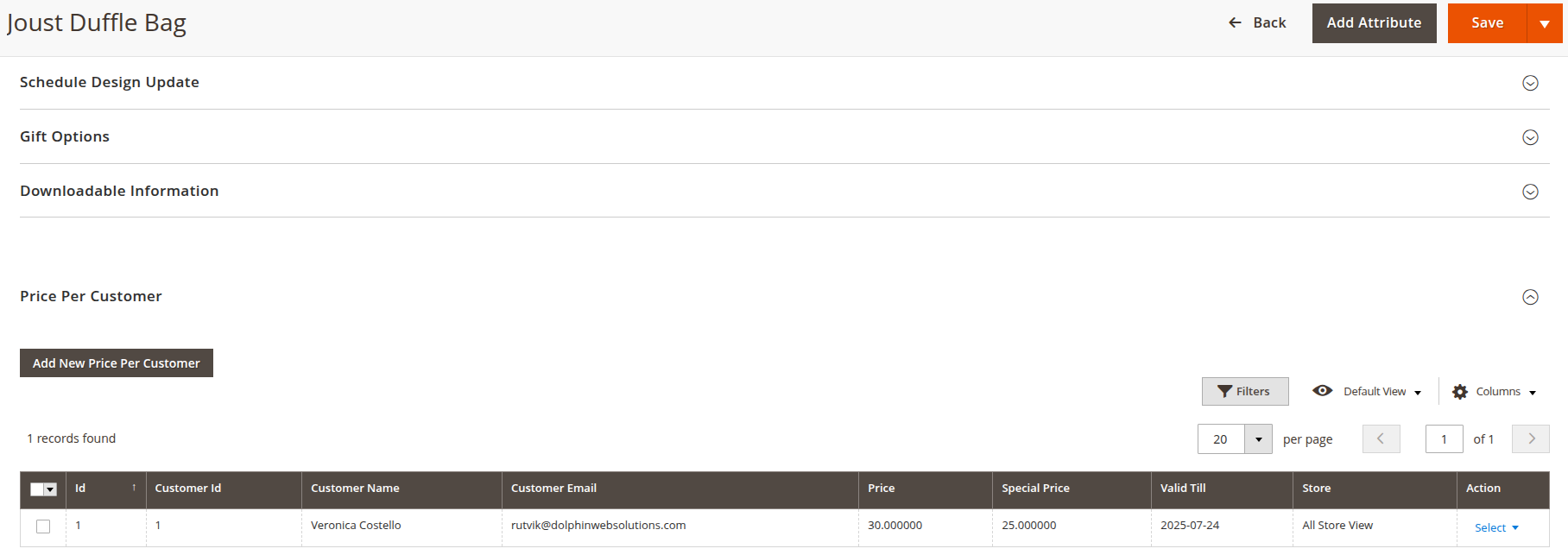
Add Price from Product form in admin
- In that, you get a form in which you can select a specific customer and assign a price, a special price, and a valid date
-
Import/export
- By uploading a CSV file and importing it then it will add the price per customer and also upload the global customer price CSV
- Admin can export price per customer data and customer global price data

Dolphin products work fine with every theme and extension from other service providers. However, if you encounter any issues, our developers will troubleshoot and fix them. You can always raise a ticket for your concern and get immediate assistance from our experts.
Version: 1.0.0
Release Note: First Release
Magento Compatibility: 2.4.*
Want us to customize according to your business needs?