Size Chart for Magento 2
This extension provides features to allow the admin to create and display customizable product size charts on the storefront.

- Enable/Disable the size chart module from the configuration.
- Display labels based on product attributes.
- Enter the custom text, image, block, etc from the page builder.
- Set Priority for the size chart.
- Display Attachments for a particular store.
- Display the Size Chart on the Product page and category page.
- Flexible display Size chart Button text and Image.


-
 Developed By Best Certified Developers
 -
Trusted Quality
-
Free Support For 90 Days
-
45-day Money-back Guarantee
-
Paid on-demand Customization
-
Free Updates


Overview of Magento 2 Size Chart Extension
Default magento2 does not provide any features related to adding a size chart to products but this extension builds up the functionalities of the display of the size chart on the front end in product pages or category pages as per store.
The Size Chart extension for Magento 2 lets customers determine the correct size and provides perfectly detailed size guides on various product types and categories.
The store owner must add the size chart for their products, who has a clothing website, or who wants a size guide for their products. It enables customers to recognize their suits and select the correct ones.
Highlights of Magento 2 Size Chart Extension
-

Easily manage
Admin can easily add size charts to products or categories.
-
Multistore Supported
Admin can add size chart as per stores
-
Flexible display size chart button
Flexible display Size chart Button text and Image
-
Size Chart rule priority
The product has multiple size charts then It will work by priority of size chart

Features of Magento 2 Size Chart Extension
-
Facilitates admin to customize the extension
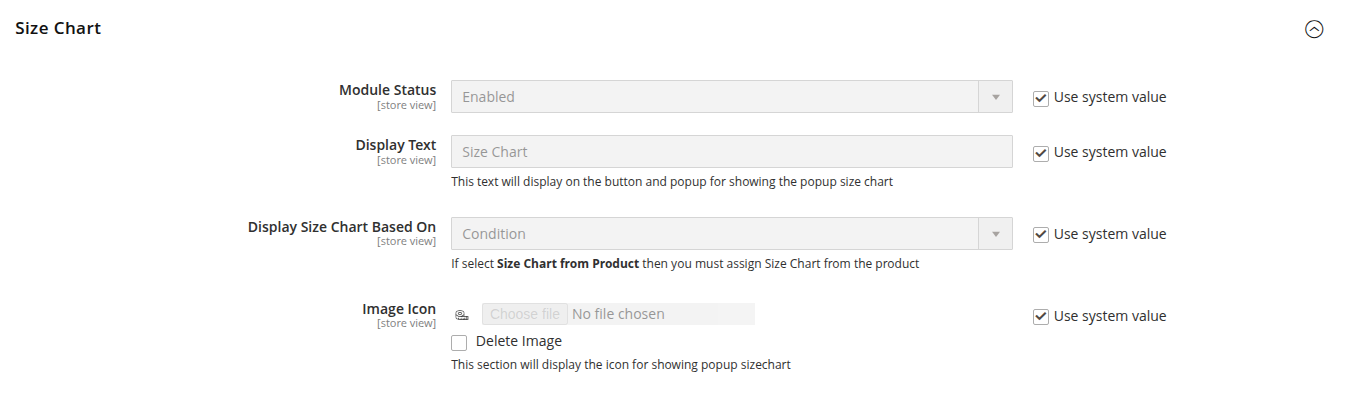
- Enable or disable the Size chart module feature seamlessly from the Magento 2 backend.
- Add config for displaying the Size chart button, Text, and Image.
- The product page displays attachments, Tab titles, order, and file icons from the config.
- Configuration for selecting the Display Size Chart Based On the Condition or product.
-
Manage Size chart
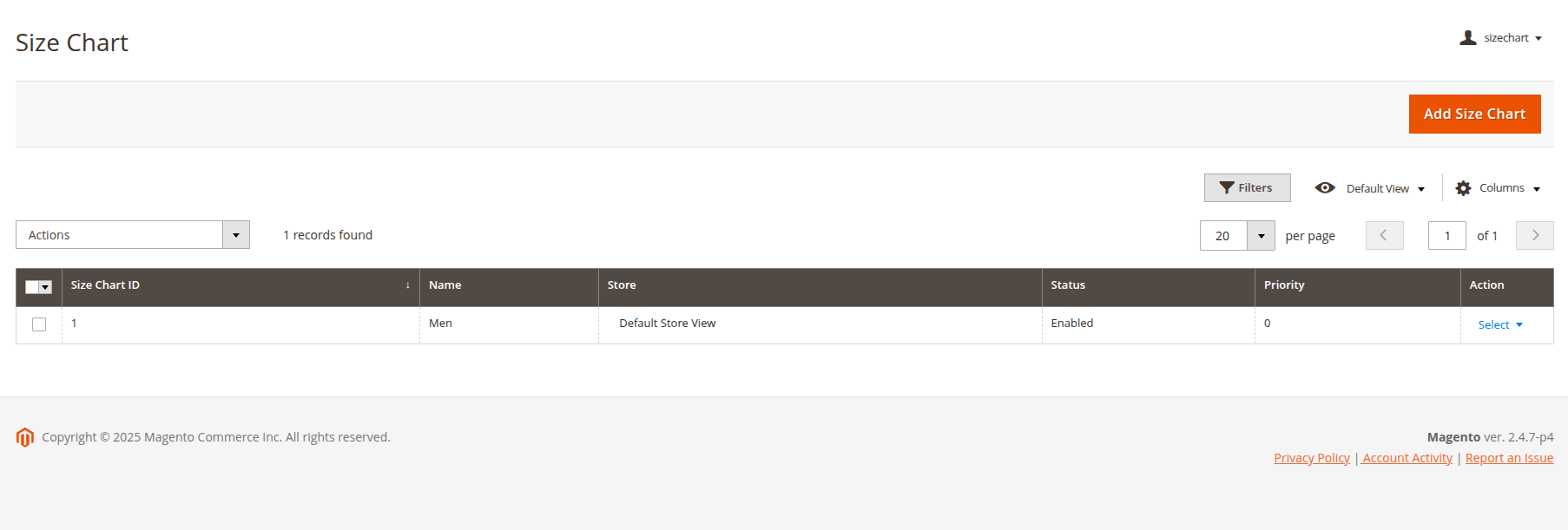
- Admin can see all the added size charts in the Size chart grid.
- Admin can read all the details of the size chart and rules, and then apply them to the product page or category page accordingly.
- Admin can see the details in the convenient grid, including information such as size chart ID, name, store, status, priority, etc.
-
Configure Size chart
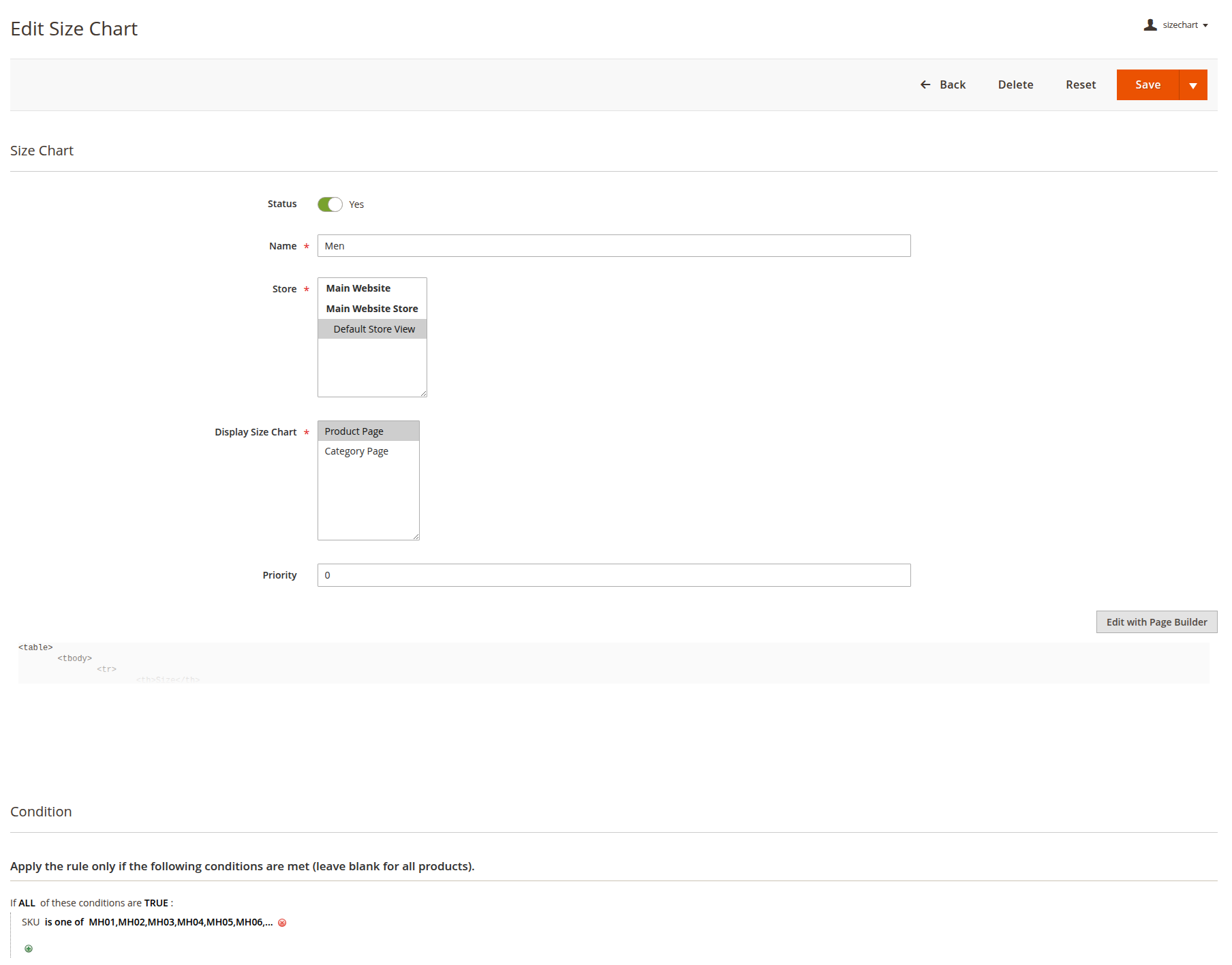
- Depending on the size chart, add a name, select store, and select the display size chart on which page the product page or category page, and add priority.
- Create size chart content for display on the front end by the Page Builder.
- Select a condition to apply the size chart to products.
- In this field, you can choose an option, and then easily assign it to products by Categories, Attribute Set, or SKU, and so on.
- After applying condition rules to the product size chart, that size chart will display on a particular product where this condition is set to true and satisfied.
-
Display Size chart on Frontend
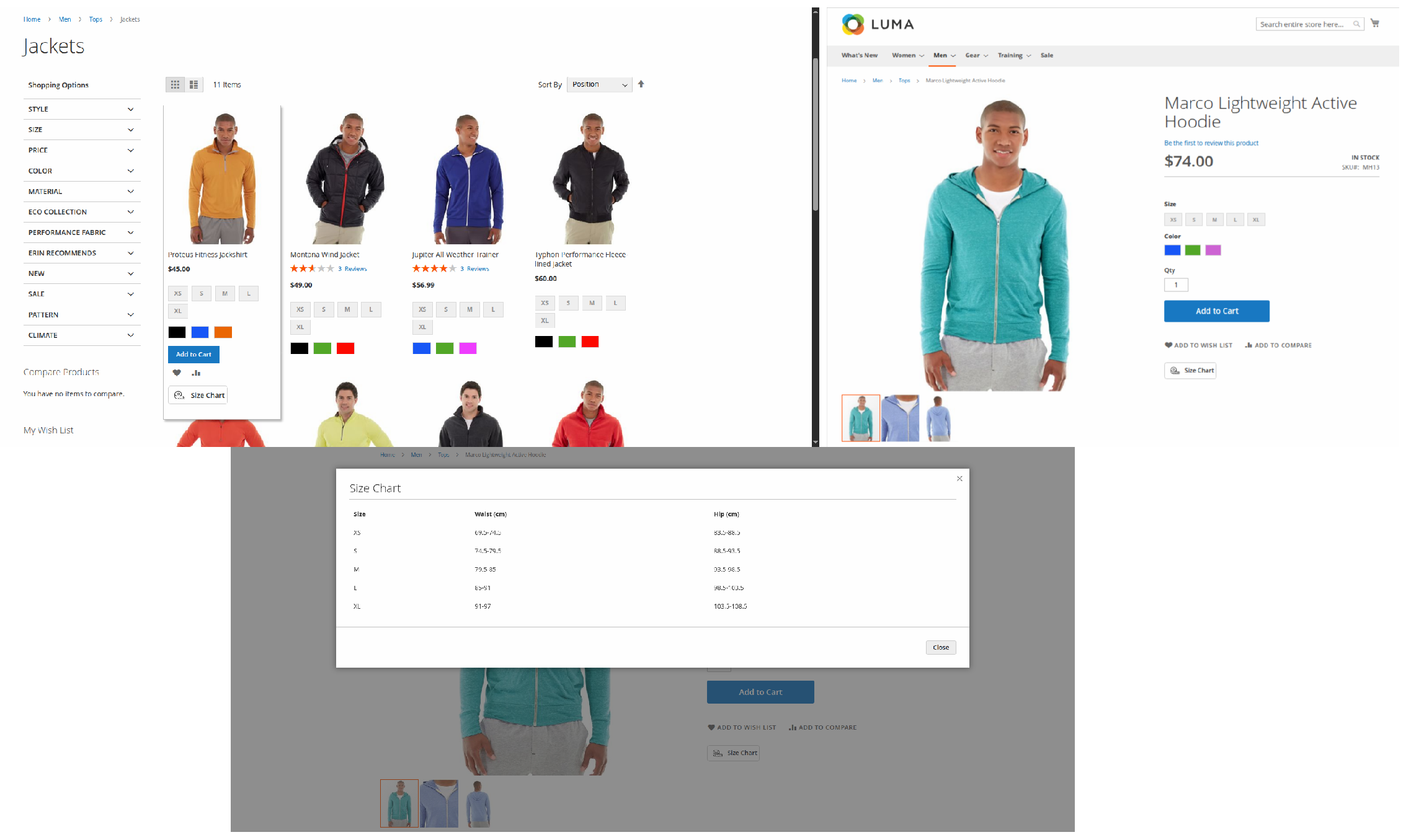
- After creating a size chart from the backend, the Size Chart button will display on the category page or product page based on selected options.
- Click on the Size Chart button to open the size chart content in a pop-up.
Dolphin products work fine with every theme and extension from other service providers. However, if you encounter any issues, our developers will troubleshoot and fix them. You can always raise a ticket for your concern and get immediate assistance from our experts.
Version: 1.0.0
Release Note: First Release
Magento Compatibility: 2.4.*
Want us to customize according to your business needs?