---
title: "How to create a child theme in Hyva Magento 2"
url: "https://dolphinwebsolution.com/how-to-create-a-child-theme-in-hyva-magento-2"
date: "2023-04-06T04:16:09+05:30"
modified: "2023-08-29T07:04:22+05:30"
author:
name: "Mayur patel"
categories:
- "Hyva"
- "Magento2"
word_count: 694
reading_time: "4 min read"
summary: "In this blog post, we will discuss how to create a child theme in Hyva Magento 2.
It is important to create a child theme in Magento 2 as mentioned below.
Custom themes are built from the ground ..."
description: "In this blog post, we will discuss how to create a child theme in Hyva Magento 2. It is important to create a child theme in Magento 2 as mentioned below. Cu..."
keywords: "Hyva, Magento2"
language: "en"
schema_type: "Article"
related_posts:
- title: "Top 10 Best Hosting Providers for Magento In 2026"
url: "https://dolphinwebsolution.com/blog/top-10-best-hosting-providers-for-magento/"
- title: "Top 10 Magento Development Companies"
url: "https://dolphinwebsolution.com/blog/top-magento-development-companies/"
- title: "Hyvä Magento Theme: Stay Ahead in the E-Commerce Race by Hiring Hyvä Theme Developer"
url: "https://dolphinwebsolution.com/blog/stay-ahead-in-the-e-commerce-race-by-hiring-hyva-theme-developer/"
---
# How to create a child theme in Hyva Magento 2
_Published: April 6, 2023_
_Author: Mayur patel_

In this blog post, we will discuss how to create a child theme in Hyva Magento 2.
It is important to create a child theme in Magento 2 as mentioned below.
Custom themes are built from the ground up. Although it might appear time-consuming, these themes consistently produce good results in terms of conversions and user engagement.
There are 2 methods to create a custom theme in Hyva Magento 2 which are mentioned below.
- Child theme
- Duplicate the hyva-themes/magento2-default-theme and modify it
How to decide whether to use a duplicate or a child theme.
Most likely, you should begin with the child theme method. The more flexible and straightforward method is this one.
You might wish to choose the duplicate theme strategy if you are really experienced with Hyvä and Magento development and want to fully alter and optimize your Hyvä Theme.
**Method 1** : Child theme
Here are the steps to create a child theme in Hyva Magento 2:
**Step 1** : Creating a Magento theme folder
Creating a folder for the theme:
- Go to **app/design/frontend**
- Creating a vendor folder **app/design/frontend/** e.g: **app/design/frontend/Dolphin**
- Create a theme folder **app/design/frontend//** e.g: **app/design/frontend/Dolphin/default**
```
app/design/frontend/
├── Dolphin/
│ │ ├──default/
│ │ │ ├── ...
│ │ │ ├── ...
```
**Step 2** : Declare your theme
We now have the folder app/design/frontend/Dolphin/default; make a file called theme.xml that defines the theme’s fundamental information, such as: Name, parent theme (in case your theme inherits from an existing theme)
*app/design/frontend/Dolphin/default/theme.xml*
```
Hyvachild theme
Hyva/default
media/preview.png
```
Ensure that your child theme **app/design/frontend/Dolphin/default/media** has a copy of the web directory from the parent theme
**vendor/hyva-themes/magento2-default-theme/media.**
**Step 3** : Register theme
To register the theme with Magento 2, you can include the following content.
We must create a registration.php file and place it in the theme folder’s root directory in order to register the theme with the Magento 2.
*app/design/frontend/Dolphin/default/registration.php*
```
```
**Step 4** : copy web folder
Ensure that your child theme **app/design/frontend/Dolphin/default/web** has a copy of the web directory from the parent theme
**vendor/hyva-themes/magento2-default-theme/web.**
**Step 5** : Configure the parent theme
In the web/tailwind/tailwind.config.js file of your child theme, you must set the parent theme path.
For instance, if your child theme’s **tailwind.config.js** file is located in **vendor/design/frontend/Dolphin/default/web/tailwind**, enable the line following the comment/parent theme to set the parent theme (if this is a child-theme)
```
module.exports = {
...
// keep the original settings from tailwind.config.js
// only add the path below to the purge > content settings
...
content: [
// this theme's phtml and layout XML files
'../../**/*.phtml',
'../../*/layout/*.xml',
// parent theme in Vendor (if this is a child-theme)
'../../../../../../../vendor/hyva-themes/magento2-default-theme/**/*.phtml',
// app/code phtml files (if need tailwind classes from app/code modules)
//'../../../../../../../app/code/**/*.phtml'
]
}
```
**Step 6** : Generate style.css for child theme
Be aware that you must regenerate your theme’s styles.css file after making changes to your theme.
You can regenerate your theme’s styles.css as per the given instruction in the following link.
**Step 7** : Apply child theme
[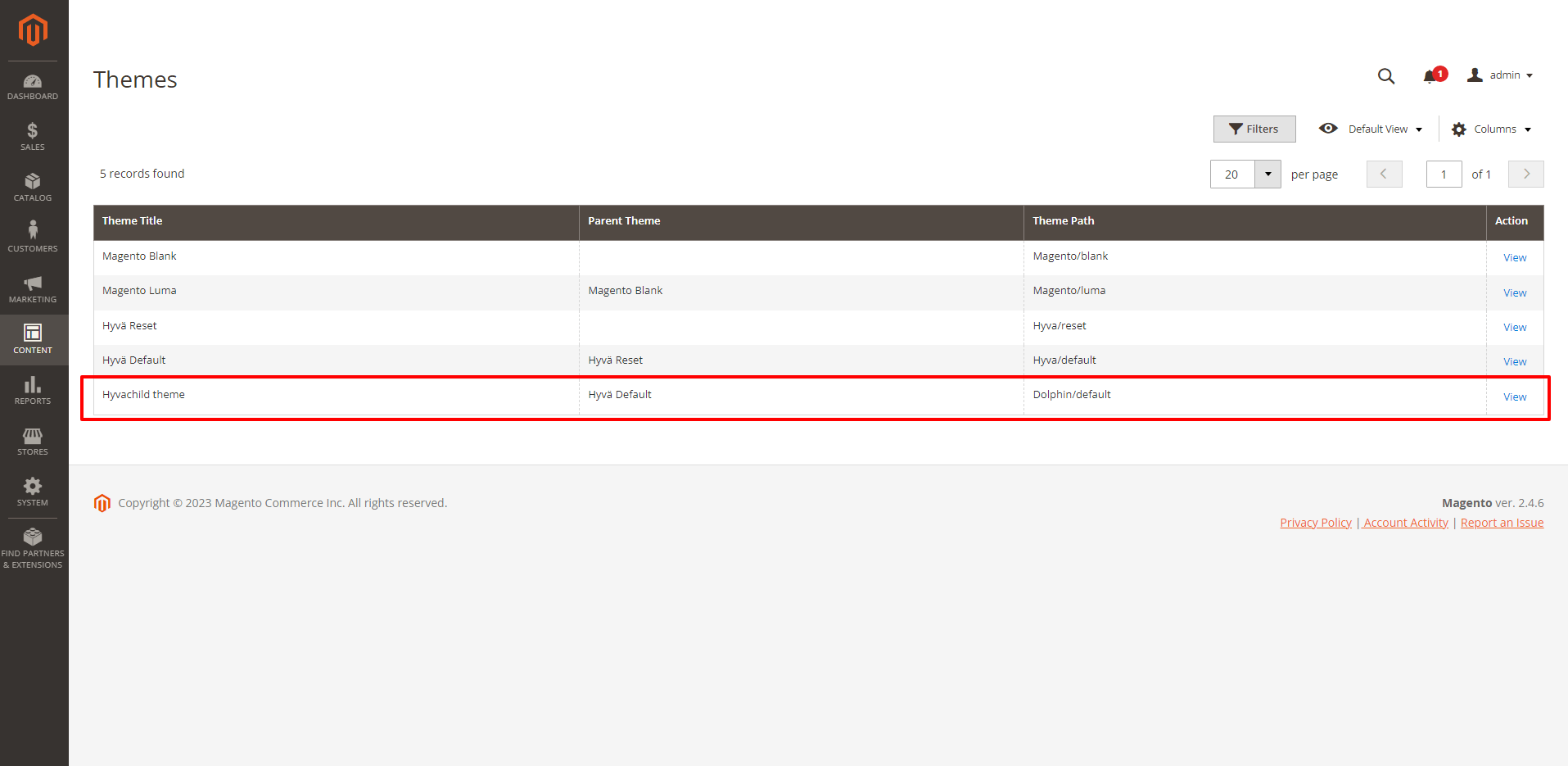](https://dolphinwebsolution.com/wp-content/uploads/2023/04/m-image3.png)Choose your child theme, Hyvachild theme, from the dropdown menu under **Content->Design->Configuration** on the admin dashboard, then save it.
[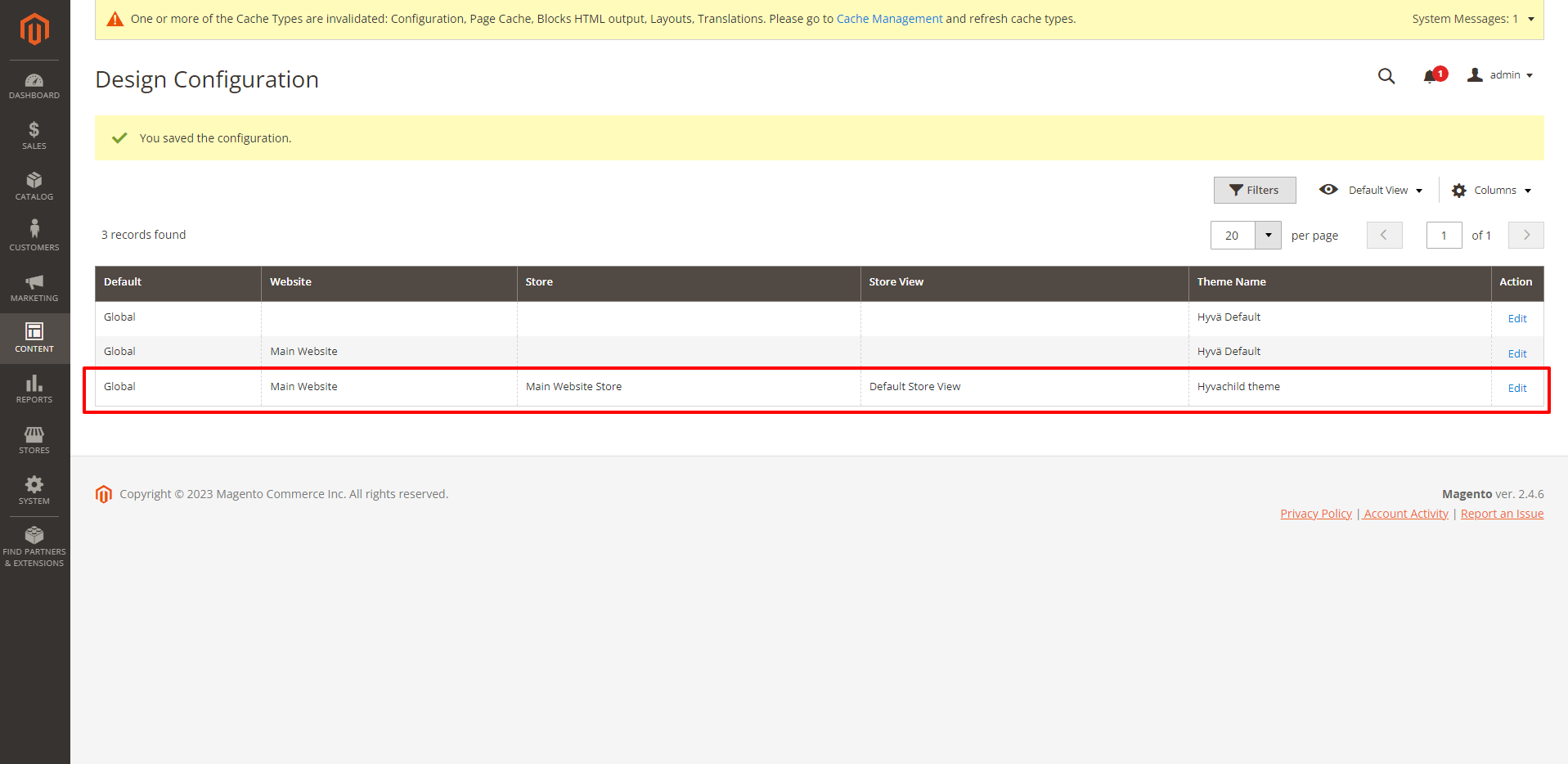](https://dolphinwebsolution.com/wp-content/uploads/2023/04/m-image1.png)
**Note: Run the following command****php bin/magento cache:clean**[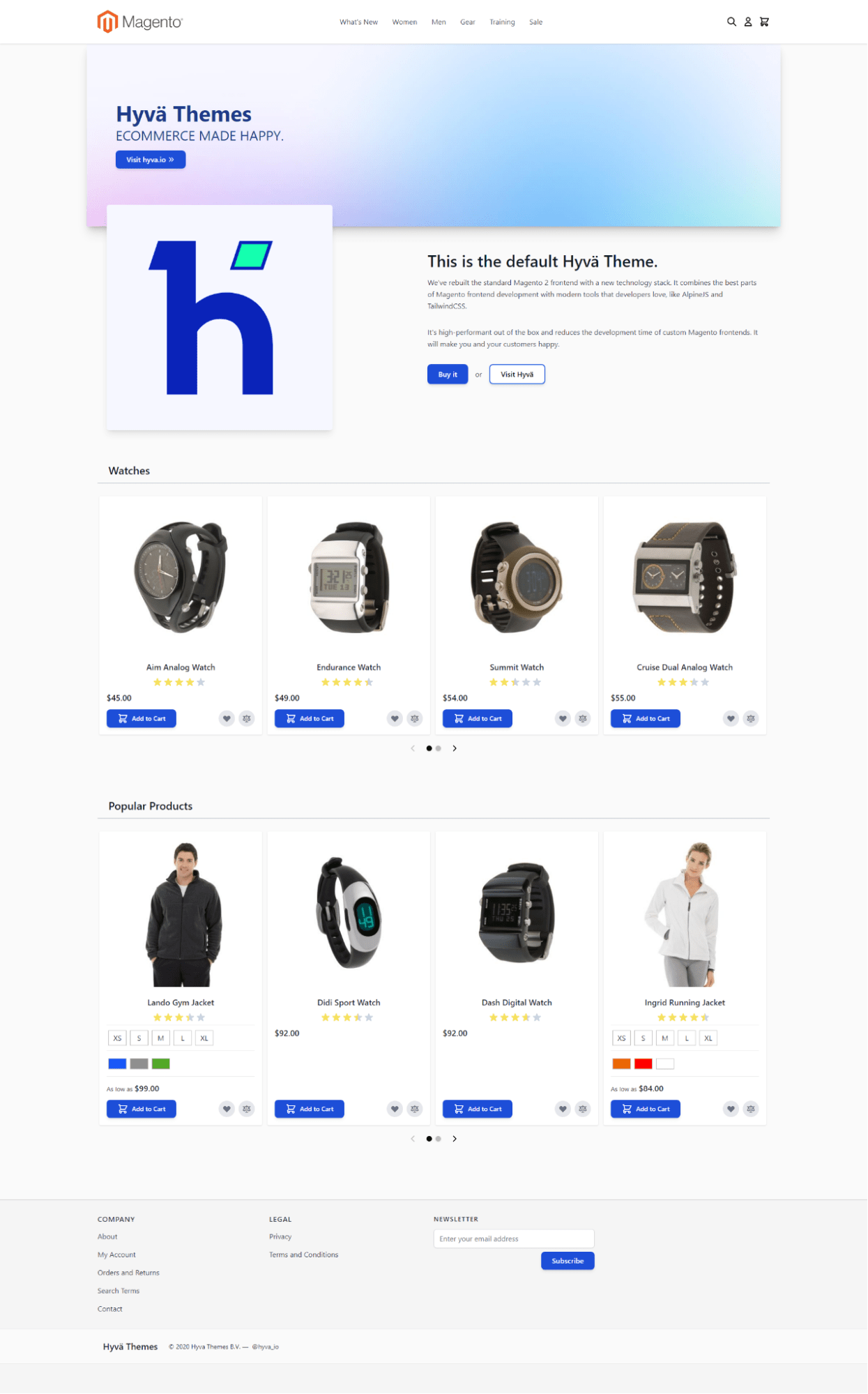](https://dolphinwebsolution.com/wp-content/uploads/2023/04/m-image2.png)**Hyva Theme Development Service**:**[ https://dolphinwebsolution.com/hyva-theme-development](https://dolphinwebsolution.com/hyva-theme-development)**
---
_View the original post at: [https://dolphinwebsolution.com/how-to-create-a-child-theme-in-hyva-magento-2](https://dolphinwebsolution.com/how-to-create-a-child-theme-in-hyva-magento-2)_
_Served as markdown by [Third Audience](https://github.com/third-audience) v3.5.3_
_Generated: 2026-08-26 06:31:15 UTC_