---
title: "Disable the PageBuilder module for a specific field in Magento 2"
url: "https://dolphinwebsolution.com/disable-the-pagebuilder-module-for-a-specific-field-in-magento-2"
date: "2023-07-23T07:17:10+05:30"
modified: "2023-08-29T06:49:49+05:30"
author:
name: "Jigar Patel"
categories:
- "Magento"
- "Magento2"
word_count: 285
reading_time: "2 min read"
summary: "In Magento 2, the PageBuilder module is responsible for providing a drag-and-drop interface for creating and editing CMS content. If you want to disable the PageBuilder module for a specific field,..."
description: "In Magento 2, the PageBuilder module is responsible for providing a drag-and-drop interface for creating and editing CMS content. If you want to disable the ..."
keywords: "pagebuilder,specific field,remove,cms page, Magento, Magento2"
language: "en"
schema_type: "Article"
related_posts:
- title: "How to create UI Form and UI Grid in Magento 2"
url: "https://dolphinwebsolution.com/how-to-create-ui-form-and-ui-grid-in-magento-2/"
- title: "How Much Does Magento Development Cost in 2026?"
url: "https://dolphinwebsolution.com/blog/magento-development-cost/"
- title: "How To Get Administrators Role’s User Ids programmatically in Magento 2"
url: "https://dolphinwebsolution.com/how-to-get-administrators-roles-user-ids-programmatically-in-magento-2"
---
# Disable the PageBuilder module for a specific field in Magento 2
_Published: July 23, 2023_
_Author: Jigar Patel_

In Magento 2, the PageBuilder module is responsible for providing a drag-and-drop interface for creating and editing CMS content. If you want to disable the PageBuilder module for a specific field, you can achieve this by set **is\_pagebuilder\_enabled** **False** in your the field’s definition in your module.
You can disable the PageBuilder module for a specific field by adding the following entry to a field configuration in an XML configuration file:
```
-
- false
```bash
```
```
### Example
The following example disables the PageBuilder editor for the content field.
```
```
**Note:** Disabling the editor this way overrides the value of `is_pagebuilder_enabled` for the specified field.
Now execute the below command and go to the system configuration page:
**php bin/magento c:c**
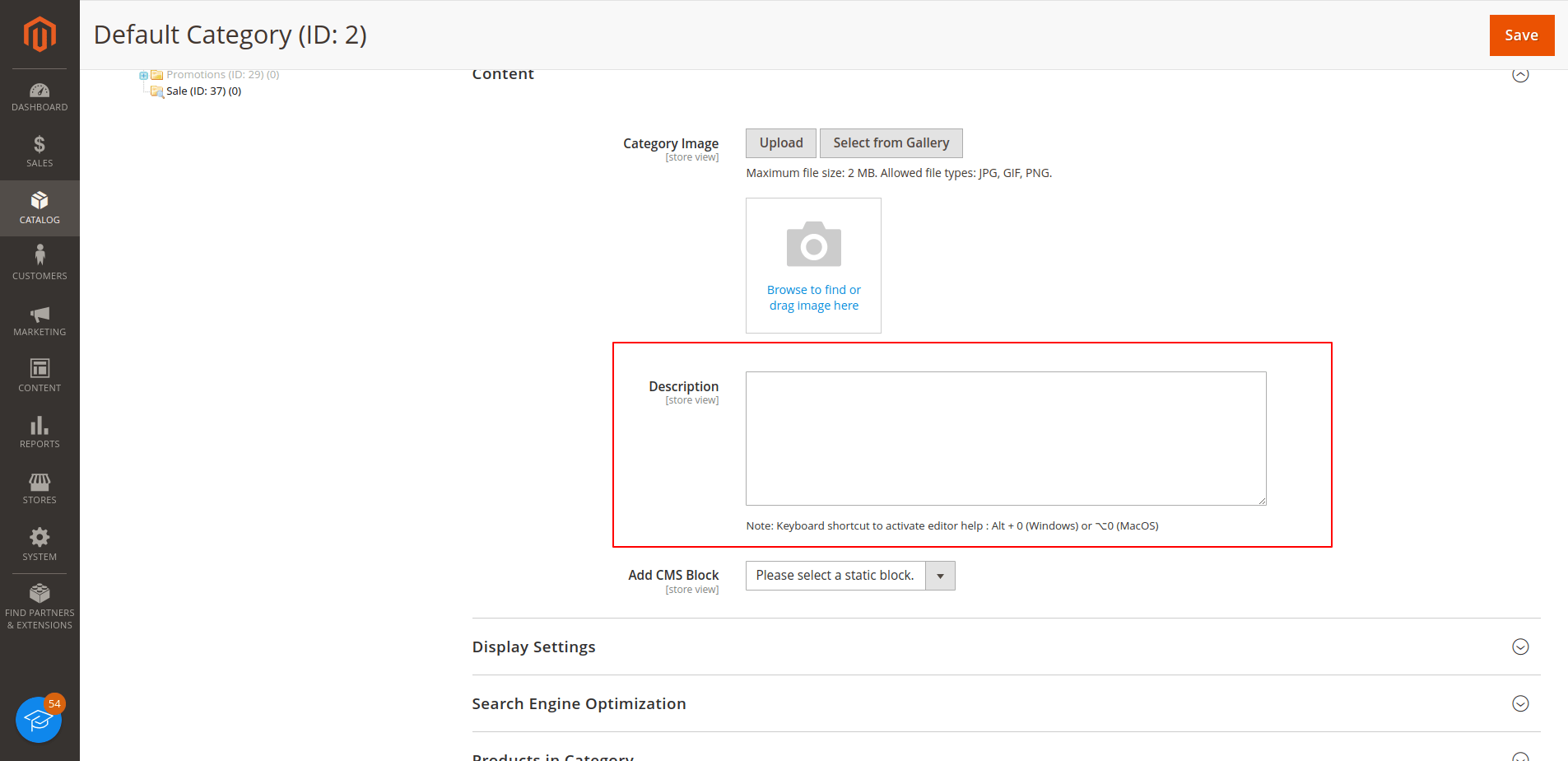
#### Result:-
#### 
I Hope, This instruction will be helpful for you.
If you have any difficulties regarding this blog, do consider posting them in the Comments section below!
I’m here to help.
**Thank you!**
---
_View the original post at: [https://dolphinwebsolution.com/disable-the-pagebuilder-module-for-a-specific-field-in-magento-2](https://dolphinwebsolution.com/disable-the-pagebuilder-module-for-a-specific-field-in-magento-2)_
_Served as markdown by [Third Audience](https://github.com/third-audience) v3.5.3_
_Generated: 2026-08-26 06:14:34 UTC_